
How to share your card
You can share your card with others in many ways

Samuel Riad
Last Update hace 2 años
If you have a physical Bitaqa card
Tap your NFC-enabled Bitaqa card against the back of someone's smartphone:
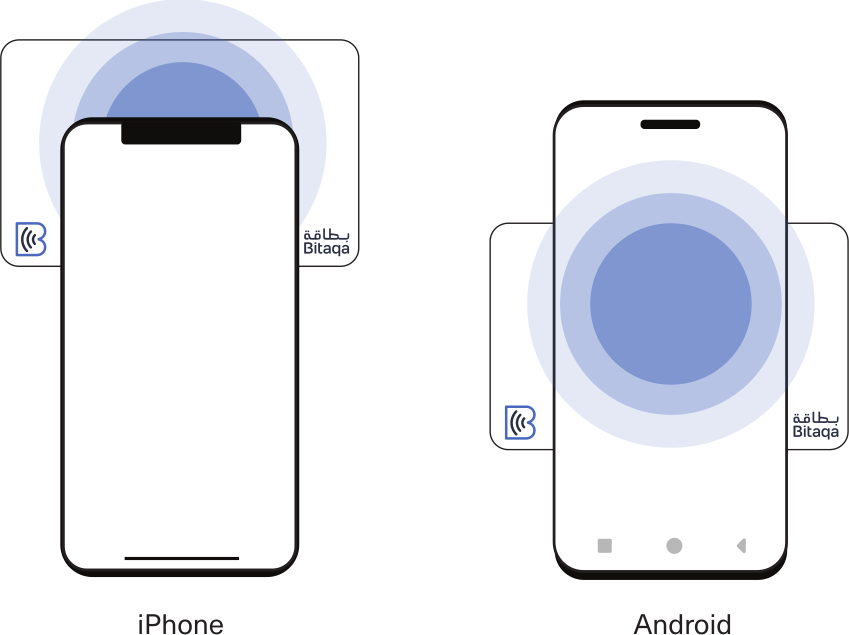
If the person you share your card with has an old phone (from before 2018) that does not have NFC capability, ask them to open their phone's camera and scan the QR code on the back of your Bitaqa card.
If you have a virtual Bitaqa card
You can share your Bitaqa card with others in two ways:
- Through your Apple/Google Wallet app. For setup instructions, click here.
- Through the Bitaqa app. For setup instructions, click here.
Through Apple/Google Wallet
Open the Apple/Google Wallet app on your phone

Tap the Bitaqa card to reveal your card's QR code.

Ask the person you want to share your card with to open their phone's camera and scan the QR code.
If you have a compatible smartwatch, such as the Apple iWatch or the Samsung Galaxy Watch, you may also open the Apple/Google Wallet directly from your watch to display the QR code.
Through the Bitaqa app
Open the Bitaqa app on your phone. You can share your card in three ways:
Tap-to-share: Tap your Android phone against the back of any other phone.
Scan-to-share: Ask the person you want to share your card with to open their phone's camera and scan the QR code.
Share through other apps: Choose another app (e.g. social media, email, etc.) to share your card.
Android

iPhone
